
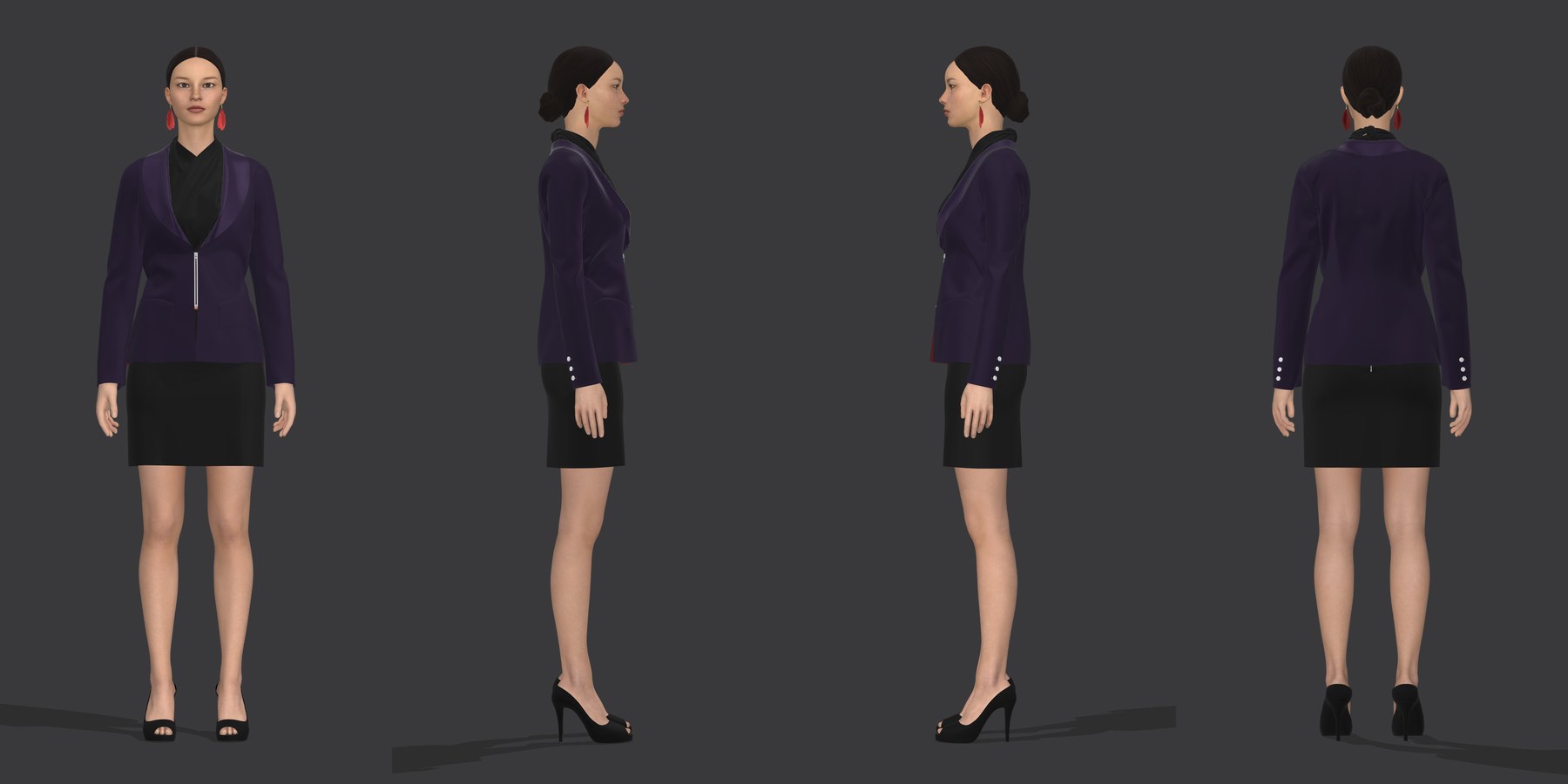
The Landscape Has Changed
Three years ago, 3D fashion design was a niche capability — something only large brands and tech-forward studios experimented with. Today, it's becoming a baseline expectation. Buyers want to see 3D renders. Factories want 3D files alongside tech packs. Investors want animated garment presentations before they write a check.
The question is no longer "should we use 3D?" It's "which 3D tool should we use?"
The three dominant platforms — CLO 3D, Marvelous Designer, and Browzwear VStitcher — all simulate garments in 3D. But they serve different users, different workflows, and different industries. Here's how they compare.
CLO 3D: The Production-Ready Powerhouse
Best for: Fashion brands, independent designers, pattern makers, and production studios who need manufacturing-ready output.
CLO 3D is the industry standard for garment development. It's built around the actual garment production workflow — 2D pattern drafting, 3D simulation, grading, and tech pack generation. It's not a visualization tool bolted onto a design program. It's a pattern engineering tool that happens to produce stunning visuals.
Strengths
- Accurate fabric simulation — CLO's physics engine models real-world fabric behavior with industry-leading accuracy. Bending stiffness, stretch recovery, weight, and drape are all calibrated against physical fabric testing.
- Seamless 2D-to-3D workflow — Draft patterns in 2D, see them in 3D instantly. Changes in either direction update the other in real time.
- Production file export — CLO exports graded patterns in DXF format compatible with Gerber, Lectra, and Optitex systems. It generates tech packs, BOMs, and specification sheets.
- Avatar customization — Import custom avatars with exact body measurements, or use CLO's built-in avatar library with industry-standard sizing.
- Animation — Built-in animation tools for walking, posing, and movement simulation. Export to video or interactive formats.
- Growing ecosystem — CLO-SET for cloud collaboration, CONNECT for PLM integration, and a robust API for custom workflows.
Limitations
- Learning curve — CLO rewards pattern-making knowledge. If you don't understand grain lines, seam allowances, and dart manipulation, the software won't teach you.
- Price — At roughly $50/month for the standard license, CLO is affordable for professionals but not trivial for hobbyists.
- Mac performance — CLO runs on Mac but performs best on Windows workstations with dedicated NVIDIA GPUs.
Who Should Use CLO 3D
Any brand or designer who needs to go from concept to production. If your end goal is a manufactured garment — not just a pretty render — CLO is the right tool.
Marvelous Designer: The Creative Visualizer
Best for: Game artists, VFX studios, animators, and concept artists who need beautiful garment visuals without production constraints.
Marvelous Designer shares CLO's simulation engine (both are developed by CLO Virtual Fashion), but it's positioned for the entertainment industry rather than fashion production. It excels at creating visually stunning garments for digital characters, but it lacks the production-oriented features that fashion brands need.
Strengths
- Same simulation engine as CLO — The fabric physics are identical. Garments drape, fold, and move realistically.
- Character design focus — Built-in tools for dressing 3D characters, with direct integrations for Maya, 3ds Max, Blender, and Unreal Engine.
- Intuitive creative workflow — Less emphasis on precise pattern engineering, more on visual experimentation.
- Lower price point — Roughly $30/month for the personal license, making it accessible for independent artists and small studios.
Limitations
- No production file export — Marvelous Designer doesn't export DXF files, graded patterns, or manufacturing-ready tech packs. It's a visualization tool, not a production tool.
- Limited grading — Size grading is basic compared to CLO. It's not designed for multi-size production.
- No BOM or spec sheet generation — The output is visual, not technical.
Who Should Use Marvelous Designer
Game studios, animation houses, VFX artists, and concept designers. If your garment will exist on a digital character rather than a physical body, Marvelous Designer gives you the creative flexibility to match.
Browzwear VStitcher: The Enterprise PLM Platform
Best for: Large fashion enterprises with integrated PLM systems and dedicated 3D teams.
Browzwear VStitcher is the enterprise player in this space. It's designed for large brands that need 3D integrated into their existing Product Lifecycle Management workflows. Think companies with 500+ SKU seasonal collections and dedicated 3D teams.
Strengths
- PLM integration — Native connectors for Centric PLM, Bamboo Rose, and other enterprise systems. 3D designs automatically sync with product data.
- Collaboration tools — Browzwear's cloud platform (Browzwear Connect) supports team-based workflows with version control and approval chains.
- Fabric scanning — Browzwear offers physical fabric scanning services that create digital fabric twins with accurate mechanical properties.
- Retail visualization — Tools for virtual showrooms, line sheets, and buyer presentations.
Limitations
- Enterprise pricing — Browzwear doesn't publish pricing. Licenses are negotiated per-seat and typically start in the thousands per year.
- Complexity — The enterprise feature set comes with enterprise-level complexity. Setup, training, and onboarding take time.
- Overkill for small brands — If you're a 5-person team developing 20 styles per season, Browzwear's infrastructure is more than you need.
Who Should Use Browzwear
Large fashion enterprises with existing PLM systems, dedicated 3D teams, and complex multi-department workflows. If you need 3D integrated into a 200-person organization's approval pipeline, Browzwear is built for that scale.
The Verdict
There's no single "best" tool. There's only the right tool for your workflow:
- CLO 3D if you're designing for production and need manufacturing-ready output
- Marvelous Designer if you're creating garments for digital characters and visual content
- Browzwear VStitcher if you're a large enterprise with PLM integration requirements
For most fashion brands and independent designers — the ones actually making clothes — CLO 3D hits the sweet spot of creative flexibility and production capability. It's the tool that takes you from sketch to factory floor, and everything in between.
The best 3D tool is the one that gets your garments made. Start there.